
Features
Everything the deck does
Each one a thing a terminal, a tab strip or a multiplexer cannot do for you — because none of them knows what an agent session is.
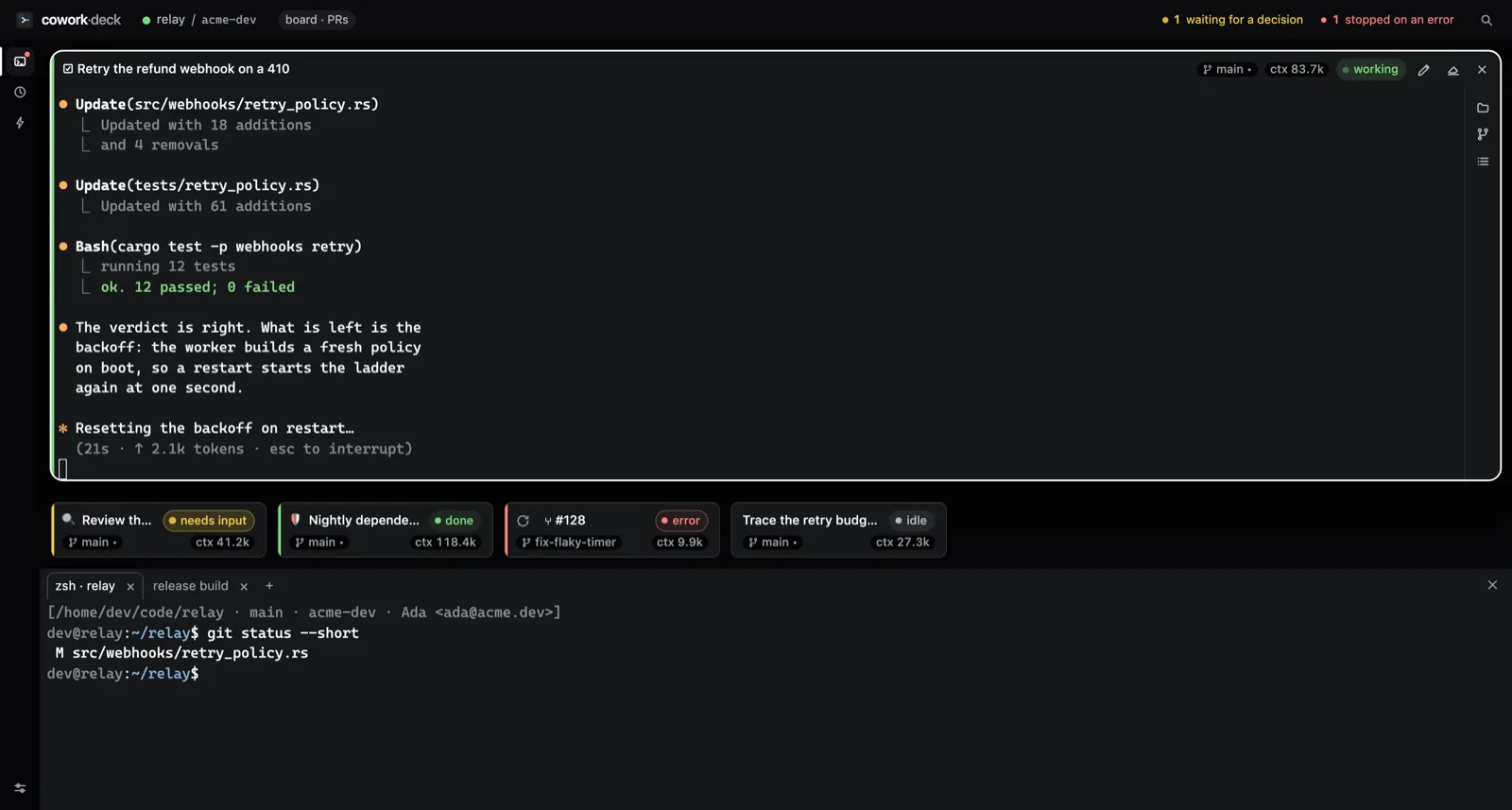
What can cowork-deck do that a terminal cannot?
It knows what an agent session is. A terminal gives you a process and a scrollback; a tab strip gives you titles. Neither can tell you that the session in the fourth tile stopped to ask a question four minutes ago, because neither has any idea that a question was asked. cowork-deck reads Claude Code's own hooks, so the state on every tile is the state the agent reported — not a guess from parsing output.
The pages below are different answers to different questions. Each one names the problem it solves in its first screen, so you can decide from the row whether the page is for you.
Many sessions, one window
A dozen agents running at once, and one glance that says which of them needs you.
A GitHub account per project
Work and personal, side by side, without `gh auth switch` and without either one leaking into the other.
A board that starts sessions
Cards in your repo, or the repository’s issues. Either way, ▶ turns one into a running session.
Issues and pull requests
Issues open as documents. Pull requests carry their checks, their verdict and their diff.
Saved prompts, on a schedule
A prompt under a name, launched in one press — or hourly, daily, weekly, unattended.
The same setup everywhere
Your workspaces and scenarios follow you to the next machine, through a repository nobody else owns.
Memory that fills itself
A session writes its own summary when it closes, so the corpus grows without anyone keeping notes.
Which of these do you actually need?
Most people arrive for one of these and stay for a second one they did not know existed.
| If you want to… | Read |
|---|---|
| run a dozen agents and see at a glance which one is stuck | Many sessions, one window |
push from work and personal GitHub accounts on one machine, with no gh auth switch | A GitHub account per project |
| keep a backlog that outlives any tool — markdown cards committed to your own repository | A board that starts sessions |
| read issues and review pull requests, with their checks and diffs, without opening a browser | Issues and pull requests |
| save a prompt under a name and run it hourly, daily or weekly | Saved prompts, on a schedule |
| carry your workspaces and scenarios to the next machine without a vendor account | The same setup everywhere |
| ask what an earlier session already tried, instead of re-explaining the project to a fresh agent | Memory that fills itself |
Where the deck stops
The list that decides it for some people, so it belongs on the features page rather than three clicks away.
- No detached mode. Sessions are children of the app. The scheduler only fires while the window is open, and missed runs catch up once on the next launch. If you need work to continue after you close the lid, this is the wrong tool.
- No published Windows bundle. macOS and Linux ship prebuilt. Windows builds from source.
- The macOS bundle is not notarized, so Gatekeeper calls it
damaged.
xattr -cr /Applications/cowork-deck.appclears the flag, and the FAQ explains why. - Claude Code only. Codex, Copilot CLI and opencode are on the roadmap, not shipped.
- English-only interface, and one machine at a time: what syncs between machines is your setup, not a live session.
Nothing to sign up for