
Do I need an API key or a subscription to use cowork-deck?
No. cowork-deck runs the Claude Code you already have installed, on your own machine, under your own plan. It adds no account, no server and no cost of its own.
Free · Open source · macOS and Linux
cowork-deck is a desktop app for running Claude Code sessions in parallel. Every session gets a tile with a real terminal in it, and the window answers one question at a glance: which of these needs me?
MIT licensed No account, key or subscription ~100 MB resident Runs your own claude
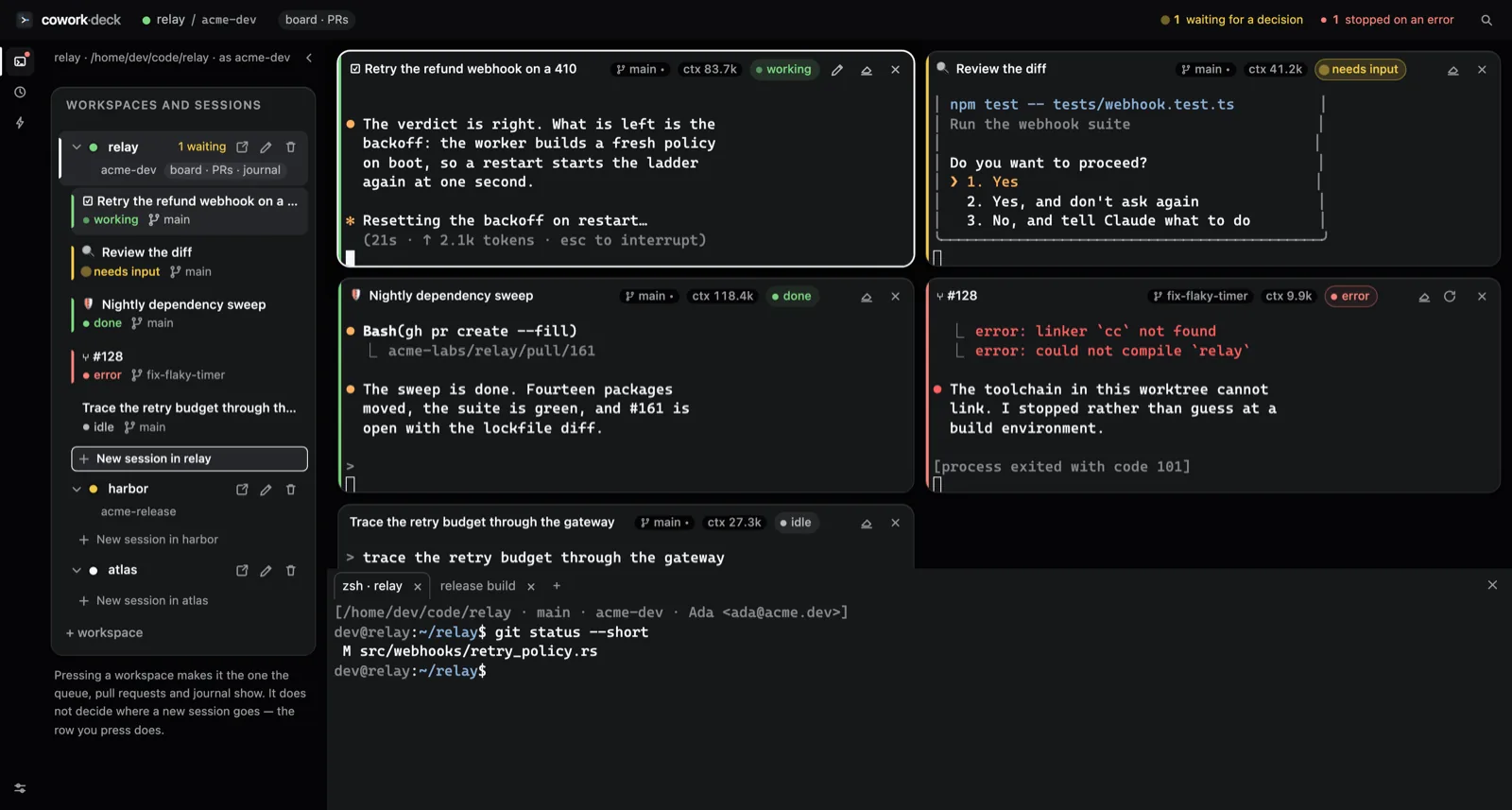
How to read a deck
Green, amber and red mean working, waiting and broken. They are never spent on decoration — which is why there is not one coloured button on this page. A dozen sessions read in one sweep of the left edge.
* Resetting the backoff on restart…(21s · ↑ 2.1k tokens)
Do you want to proceed?❯ 1. Yes 2. No, tell Claude what to do
Fourteen packages moved, the suiteis green, and #161 is open.
error: linker `cc` not found[process exited with code 101]
1 waiting for a decision 1 stopped on an error
The problem
01
A tab strip shows names, not states. The session that has been parked on a permission prompt for eleven minutes looks exactly like the one that is working.
02
A multiplexer splits panes. It has no idea that one of them finished a turn, that another is blocked on a decision, or what any of them has cost so far.
03
gh auth switch is global. Two projects on two GitHub
accounts means switching, remembering to switch back, and
eventually pushing as the wrong person.
Half a minute of the real thing
A session finishes its turn and its rail changes live. One tile zooms near-full while the rest fall into a filmstrip. A workspace's board lists its repository's issues; a pull request unfolds into its diff.
What it does
Bind each workspace to a gh account. Sessions in two
projects push, open pull requests and sign commits as two different
people — with no account switching, and with neither one leaking into
the other.
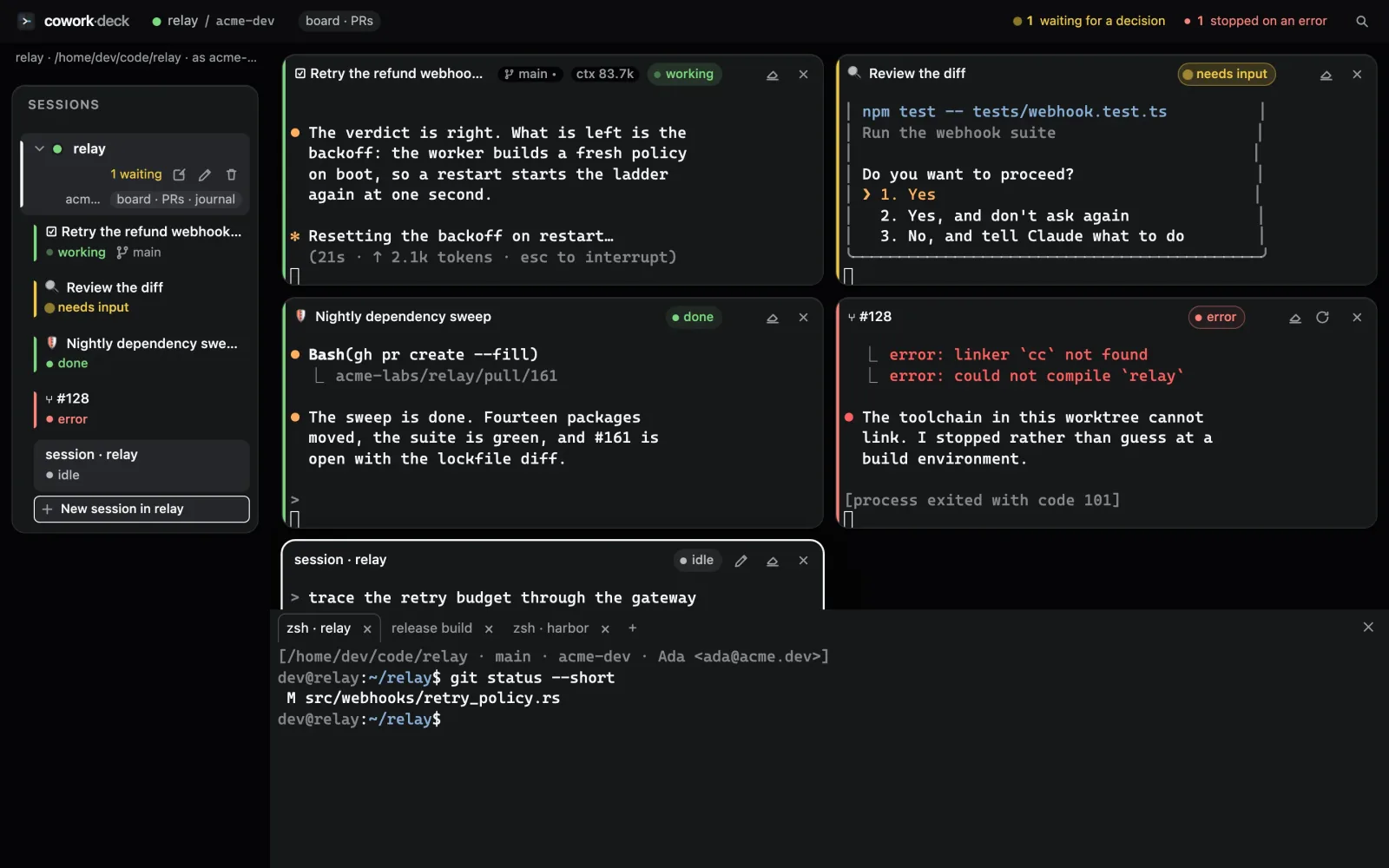
A dozen agents running at once, and one glance that says which of them needs you.
Cards in your repo, or the repository’s issues. Either way, ▶ turns one into a running session.
Issues open as documents. Pull requests carry their checks, their verdict and their diff.
A prompt under a name, launched in one press — or hourly, daily, weekly, unattended.
Your workspaces and scenarios follow you to the next machine, through a repository nobody else owns.
A session writes its own summary when it closes, so the corpus grows without anyone keeping notes.
Getting started
claude already on your machine.
.dmg for macOS, an
AppImage, .deb or .rpm for Linux. Windows
means building from source for now.
Before you download
No. cowork-deck runs the Claude Code you already have installed, on your own machine, under your own plan. It adds no account, no server and no cost of its own.
As many as your machine and your plan allow. The app itself uses around 100 MB of memory; each session is an ordinary claude process in a PTY, costing what it would cost in a terminal.
Yes. It is MIT-licensed and the whole application is in a public GitHub repository, including the screenshot harness the images on this site were shot with.
Nothing to sign up for