
GitHub issues and pull requests, without leaving the deck
Issues open as documents. Pull requests carry their checks, their verdict and their diff.
Issues, as documents
A workspace's board can read its repository's GitHub issues directly, under that workspace's own account. Rows are deep enough to show an excerpt of the body, filtered by state and by label, and opening one gives you the issue as a document: the body rendered, the labels and the link to GitHub beside it.
▶ on an issue opens a session on a new branch, in a worktree of its own. ✓ closes the issue, after asking.
Pull requests, with the four check states kept apart
Pull requests list under the same account, each carrying its checks, its review verdict, and how long ago it last moved.
Four check states are distinguished, and “no checks” is never shown as success. That distinction is the whole reason to render this list rather than link to it: a green tick that actually means “nothing ran” is worse than no tick at all, and it is a mistake most compact PR views make.
The diff, in the same window
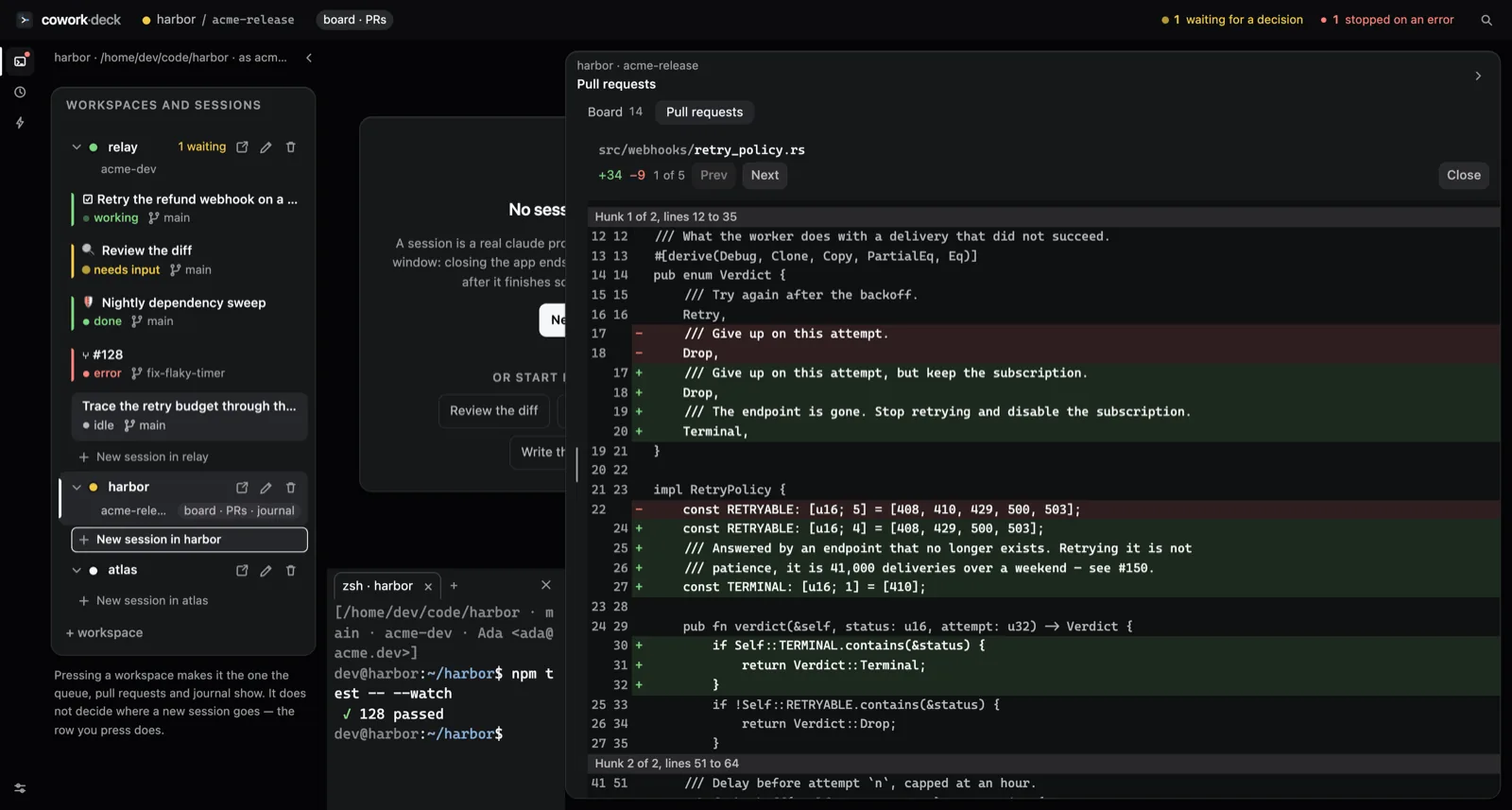
A pull request unfolds into its diff inside the workspace panel: two sticky
line-number columns, + and − markers of their own,
and added and removed bands behind them.
Colour is the third channel here, never the channel. The two bands measure
roughly 1.0 against each other in contrast, so the literal +
and − do the work — which means the diff still reads for
someone who cannot tell the two bands apart. More about that reasoning on
the design page.
Merge is pinned to what was on screen
When you merge, the app merges the commit you were looking at. If the branch moved since the last refresh, the merge is refused and you are asked to look again.
This is not caution for its own sake. A merge button that silently merges whatever is newest is a button that merges code you have never seen, which — with agents pushing to branches unattended — stops being a theoretical concern.
▶ on a pull request
Starting a session on a pull request checks its branch out in a worktree beside the workspace, never inside it. Your own checkout keeps whatever branch you left it on; the session gets a clean tree of its own.
What this needs
The GitHub CLI, logged in, and a workspace bound to an account. Without a binding the board falls back to markdown cards, which need nothing at all.