
Two GitHub accounts at the same time, one per workspace
Work and personal, side by side, without `gh auth switch` and without either one leaking into the other.
The problem with gh auth switch
The GitHub CLI holds one active account per machine. Switching is global: it changes the account for the shell you are in, for every other shell, and for every agent session running anywhere on the box. Work in two repositories under two identities and the routine becomes switch, work, remember to switch back — and the failure mode is a push, a pull request or a signed commit going out as the wrong person.
cowork-deck never calls gh auth switch. Instead, an account is
a property of a workspace.
How the binding works
Bind a workspace to a gh account, and every session it starts
already has that access in place: gh pr list,
git push, the board reading the repository's issues, the pull
requests, and the authorship of the commits. Two workspaces run on two
accounts at the same time, which is the entire point.
Your own terminal outside the app keeps whichever account was active there. Nothing the app does is visible to it.
With GH_TOKEN set in the session's environment,
gh itself refuses to change account — so a session cannot
switch out from under you even if it decides to try.
No tokens are stored
The workspace's settings hold the account name and nothing else.
The token is read from gh's own keyring at the moment a session
starts, and handed to the child process through environment variables:
GH_TOKEN, GIT_AUTHOR_*, and
GIT_SSH_COMMAND where it is needed. Nothing is written to disk
by this app that gh was not already keeping.
What happens when it cannot attach
A process's environment is fixed when it starts, so changing a binding
applies to new and restarted sessions. A live session is marked
GitHub ⟳ rather than quietly continuing on the old identity.
If the account could not be attached at all — no gh, logged
out, a locked keyring — the session still starts, but with an empty
GH_CONFIG_DIR, so gh says “not logged in”
honestly instead of silently working as somebody else. The tile carries
GitHub ✕ and the reason.
A shell drawer that tells you who it is
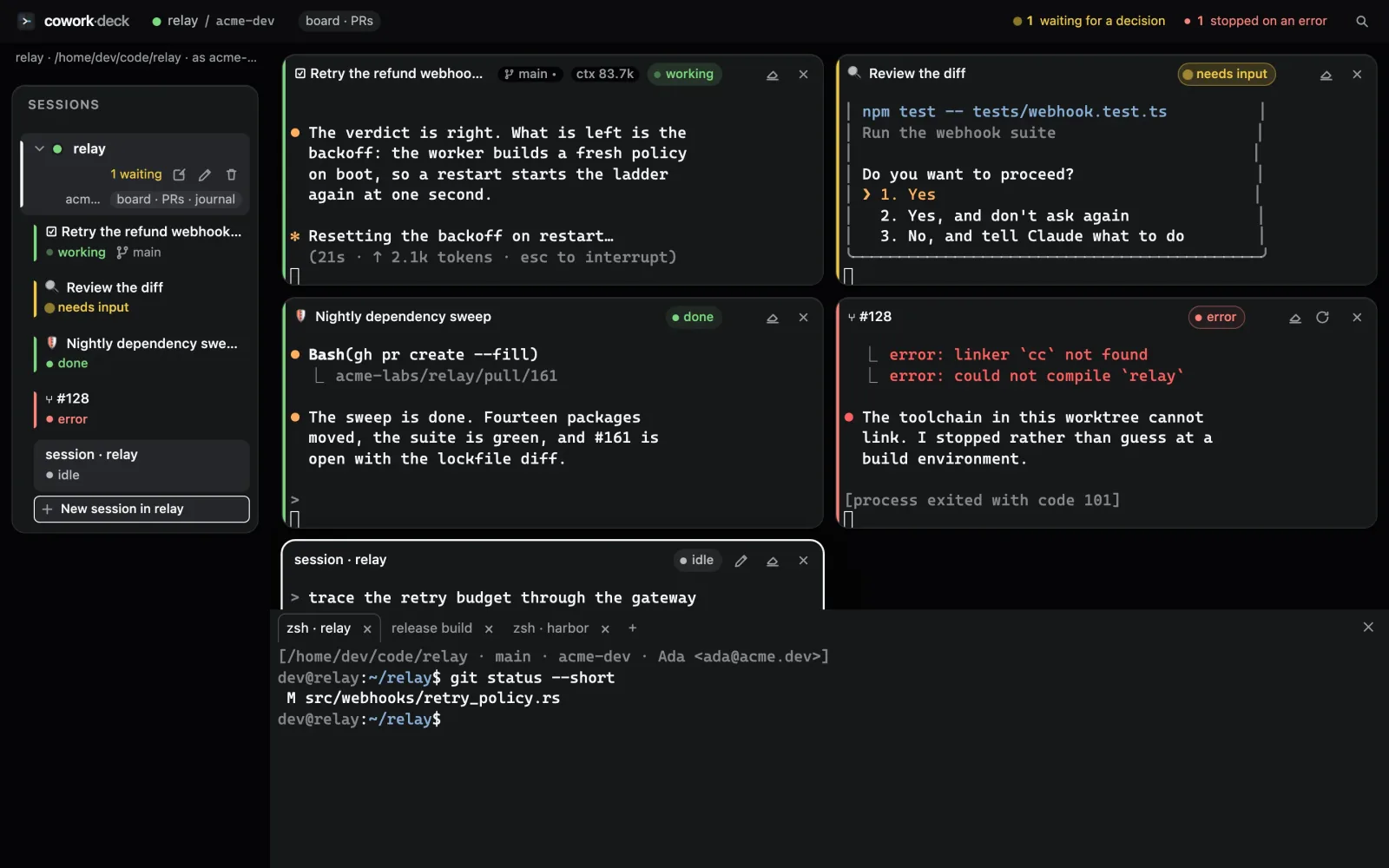
Cmd+J (Ctrl+Shift+J elsewhere) opens ordinary interactive shells under the deck, started in the workspace's folder and carrying its account. Before the first prompt, one line names the folder, the branch, the account and the git identity the shell will commit as.
That line is not decoration — it is the only reliable way to check.
The binding is injected as GIT_AUTHOR_*, which outranks
anything in .git/config, so reading the config would tell you
the wrong answer.
What you need
The GitHub CLI, logged
in to the accounts you mean to use. The GitHub screen in the command palette
shows what gh reports and helps install it if it is missing —
with the install command filled in for your platform, in an editable field,
running in an ordinary terminal tile so you can see its output and type your
own sudo password.